Your China & Yunnan Travel Experts


With the fast-growing e-commerce and the international trade, PayPal becomes the most popular paying tool in the world. It is fairly convenient for payment during the transaction. Once paid, the payment is received at once. It accepts payment by debit card, credit card, e-check, etc. Worked as the third party in the transaction, PayPal is safe enough. Therefore, PayPal becomes the favorite payment mode nowadays in the international trade. More than 90% sellers and more than 85% buyers choose PayPal in their transactions.
Besides, free sign-up and easy operation are the other two advantages of PayPal.
When I book a tour with Yun Sky Travel, how can I pay for my booking through PayPal?
YunSky Travel will send an invoice through its PayPal account by email with subject as “Invoice from 云天旅业(云南)集团有限公司(0463)“. Click the buttom [View and Pay Invoice] to read the details of the invoice.
NOTE: Please ensure the invoice is sent by service@intl.paypal.com. Do not respond with payment if the email is not from this email address unless you've already double-checked with your personal travel consultant of YunSky Travel.

Please read the invoice details carefully. It includes below information:
Click the buttom of [ Pay ] to continue the payment if the payment information is all correct.

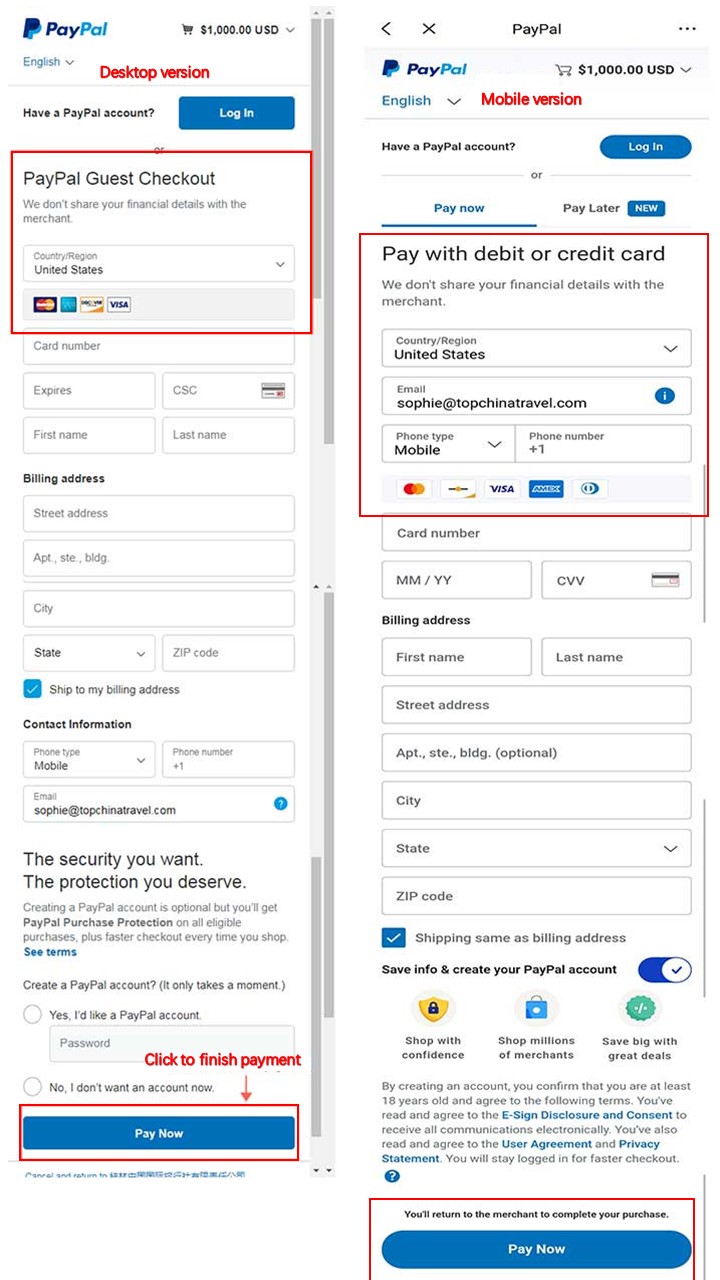
Here you will make a choice to decide the payment with credit card/debit car or with your own PayPal.
Put your email address into the blank, then click [ Next] to continue the payment.

When you pay the PayPal invoice, we will inform you of the payment received by sending an emai to you when we get a notice email from PayPal company at the same time.

From $ 2498

From $ 1599

From on request